The Protocol App integrates powerful capture and documentation technologies to record conditions quickly, precisely and traceably – on site and without media discontinuity.
Features
The Protocol App integrates powerful capture and documentation technologies to record conditions quickly, precisely and traceably – on site and without media discontinuity.
Photos & videos
Capture conditions on site with the camera.
REC
GPS & location
Automatic location capture during recording.
Barcode & QR scanner
Quick identification of meters and objects.
bH6l-Vab9-QTyg-nYm8
Plans, overviews and floor plans
Exact positioning within plan documents.
Speech recognition
Efficient text entry via voice-to-text.
On move-out the door frame was damaged in the middle on the right. The door must be repaired.
REC
The Protocol enables structured, media-based documentation directly during protocol creation. Photos and videos are captured in context and assigned unambiguously.
Structured media assignment
Media can be linked specifically to:
the overall object
individual object areas
fixtures and technical systems
documented defects
metering devices (e.g. meters)
key handovers
Each capture is automatically given a timestamp and assigned by the system to the respective protocol.
👉 Example: A photo of a meter reading is automatically assigned to the protocol and the corresponding meter.
Image annotation & marking
Photos can be edited and annotated directly within the app:
Placement of markers and arrows to highlight details
Visual marking of damage or particularities
Insertion of text entries directly in the image
Annotations are stored as part of the protocol and are traceable for revision purposes.
Capture and import functions
Multiple captures directly via the integrated camera
Multiple selection from the device gallery
Video recording within the app
Import of existing videos from the gallery
Media integration is seamless and remains fully embedded in the protocol structure.
Video export functions
Videos can be played and downloaded in the original version in the protocol web viewer.
When a video is paused at a point, the still image can be saved as an image file in full resolution.
The entire video can be saved as image files in 1-second segments.
Quality control
Image quality can be configured to optimise storage requirements and upload performance. This allows flexible adaptation to bandwidth, device capability and archiving requirements.
🎯 Photos and videos are captured in context, timestamped and embedded in the protocol structure without media discontinuity – for traceable on-site documentation.
Automatic location capture during recording
Where provided and permitted by the device, GPS location is captured automatically during protocol creation and stored with the protocol.
This documents: geographical position of the capture, time of location capture, assignment to the respective protocol. This improves traceability of the process and supports evidence for location-based procedures.
🎯 Location is captured automatically and assigned to the protocol – for greater traceability and evidence in location-based procedures.
bH6l-Vab9-QTyg-nYm8
An integrated barcode and QR scanner enables direct capture of identification data – for example for meters (electricity, water, gas), technical systems, keys, inventory. IDs can be scanned directly and assigned to the respective protocol or object.
QR code stickers and object finder
Objects can also be labelled with a QR code sticker. The scanned ID is stored in the system and makes it possible to open the corresponding object immediately via the search function. The scanner thus serves not only for documentation but also as a quick object finder in day-to-day operations.
🎯 The scanner captures IDs directly and doubles as a quick object finder – no duplicate entry, with immediate assignment to the protocol.
Exact positioning within plan documents
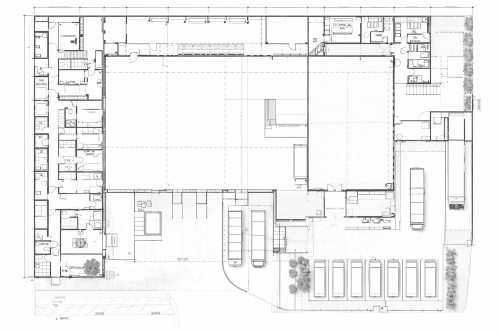
Plan documents such as floor plans or overviews can be integrated into the protocol. Within these plans you can: position defects precisely, define areas as markers, insert text notes or symbols.
Marked defects can be linked directly in the protocol as a hyperlink to the respective detailed description. Area markers can also be used in the self-service system to enable structured, location-based interaction. This visual positioning significantly increases the precision of documentation.
🎯 Defects and areas are positioned precisely on the plan and linked to protocol documentation – for precise, traceable documentation.
On move-out the door frame was damaged in the middle on the right. The door must be repaired.
Efficient text entry via voice-to-text
Text modules, defect descriptions or area documentation can be spoken via an integrated voice-to-text function and automatically converted to text.
This enables: fast capture directly during the inspection, fewer manual entries, more efficient documentation for extensive records. Speech recognition supports a smooth workflow, especially for mobile use.
🎯 Speech is converted directly to text – less typing, faster capture during the inspection and a smoother workflow on site.
Your benefits from the capture technology
With every inspection you save time, reduce rework and strengthen your documentation.
Less rework, more time for what matters
Photos and videos on site, speech recognition and barcode scanning avoid duplicate entry and follow-up corrections. The effort per protocol goes down – every time you use it.
Clarity for everyone involved
Timestamps, location and linked media make every step traceable. For handovers, tenants or follow-up questions you have the facts at hand – no call-backs or chasing documents.
Legal certainty that grows with you
Every documented inspection strengthens your evidence. Complete protocols with media and metadata meet high standards for proof and compliance – from the first to the last documentation.