
Vehicle diagrams
Any vehicle. Six views for your damage reports.
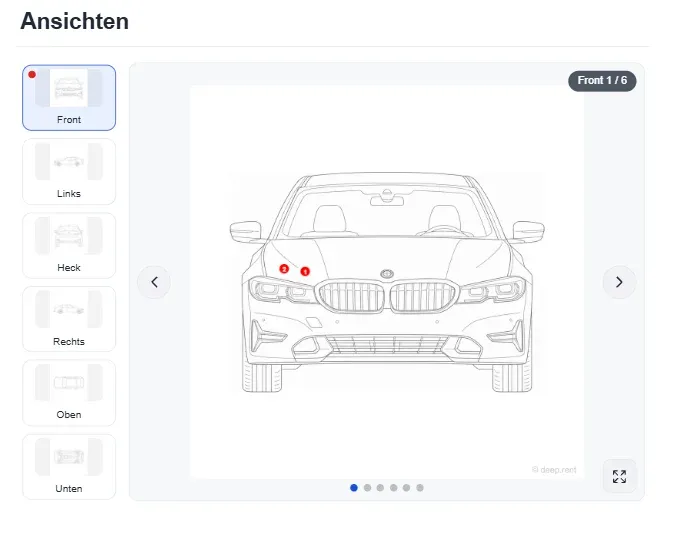
The Protocol App creates technical drawings of your vehicle with AI – from compact cars to vans. Mark damage directly on the matching view.
- For any vehicle model
- 6 views
- Existing diagrams free
Diagrams instead of photos
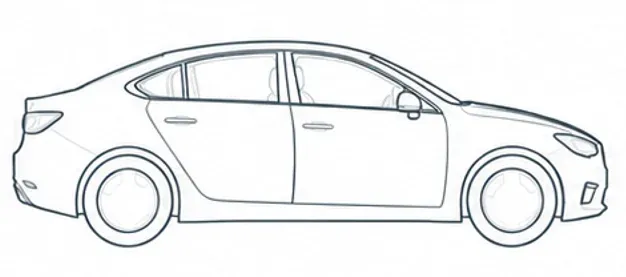
Instead of taking your own vehicle photos, use consistent technical drawings. Every view shows the vehicle clearly – no reflections, background or dirt.
Six views
Front, left side, rear, right side, roof and underside – in the same style and scale.
Matched to the model
Created for the make and model on the object – from compact cars to SUVs, pick-ups and vans.
Or your own photos
Decide per vehicle whether to use diagrams or your own photos as views.
Existing or newly created
If a diagram already exists for your model, use it with one tap. Otherwise AI creates a new one – with a preview before all views are generated.
Reuse for free
Search existing diagrams, preview them and use them at no extra cost.
Check the preview
Front and left side come first. If the vehicle matches, continue – otherwise change the name.
Finished in the background
The remaining views are added automatically. Keep working and get a notification once everything is ready.
Mark damage on the view
Each damage is recorded exactly where it is on the vehicle – on the matching view, not just in the description.
Tap the position
When recording a defect, tap the spot on the view.
Numbered markers
All damage appears as numbered markers. The view strip shows where damage has been recorded.
For every handover
The views stay saved on the vehicle – for check-out, return and every later inspection.